Your tractor's dashboard, on your phone.
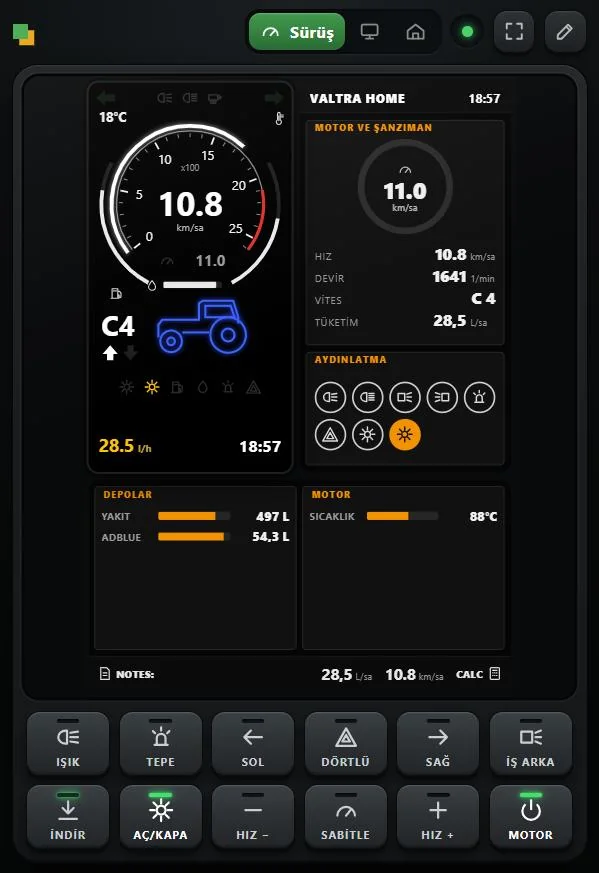
DS Dash brings the instruments of the vehicle you are driving to your phone or tablet. A John Deere gets the John Deere screen, a Fendt gets FendtONE, a truck gets its needle gauges: speed, rpm, tanks and lamps come live from the game's own definition. The keys below the screen send commands to the game.
Version 0.5.1 beta · installs on a Windows PC, no app needed on the phone
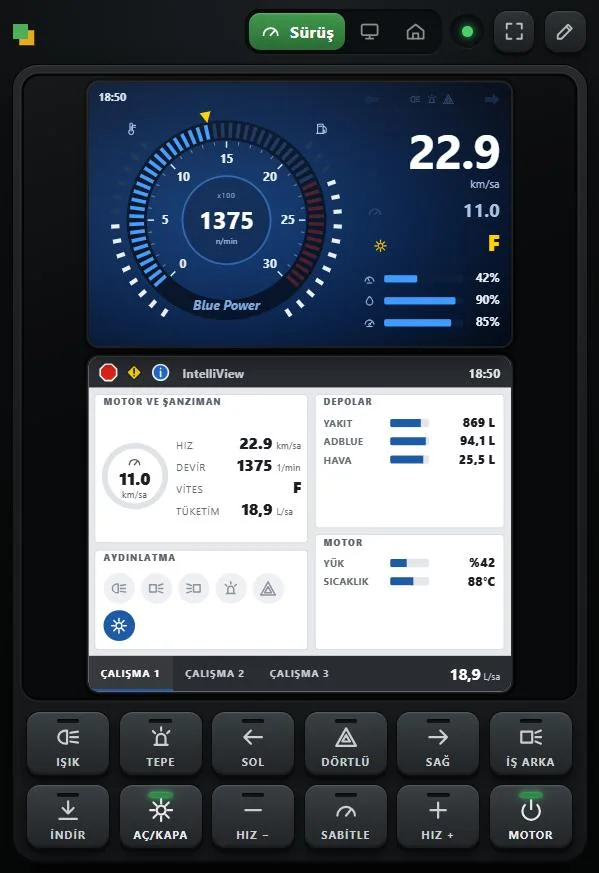
Every brand with its own screen.
DS Dash reads the vehicle's in-game instrument definition: scales, number formats, lamp colours and ignition state come from the vehicle itself. Vehicles with a brand screen get a replica of that screen, vehicles with needle gauges get gauges drawn with their own needle ranges.
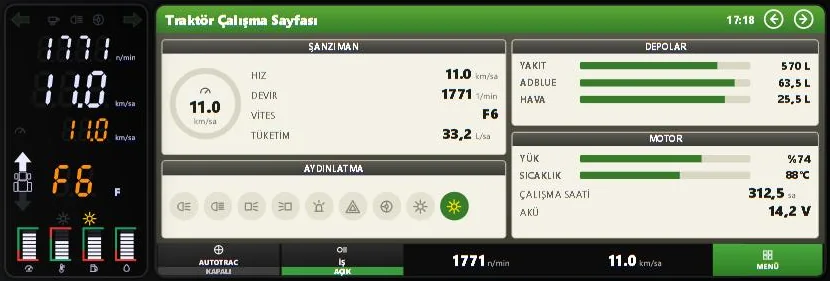
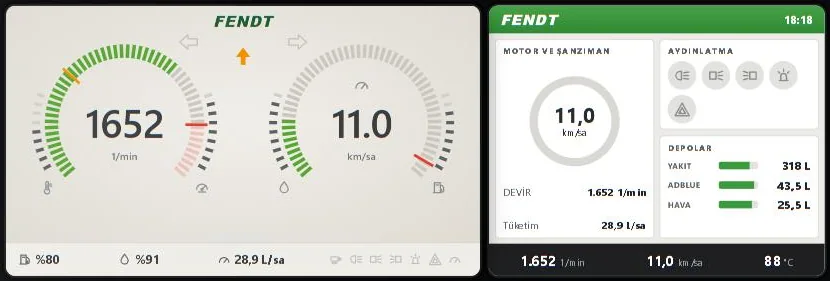
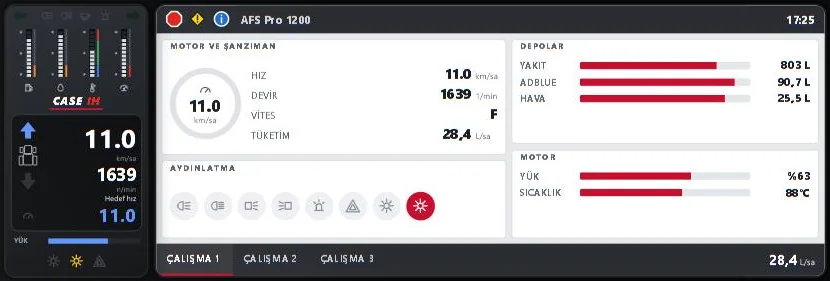
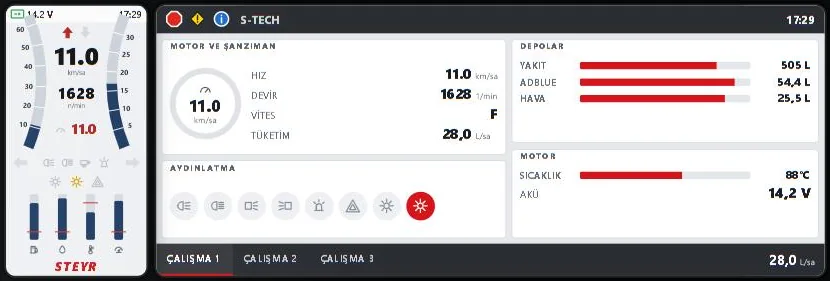
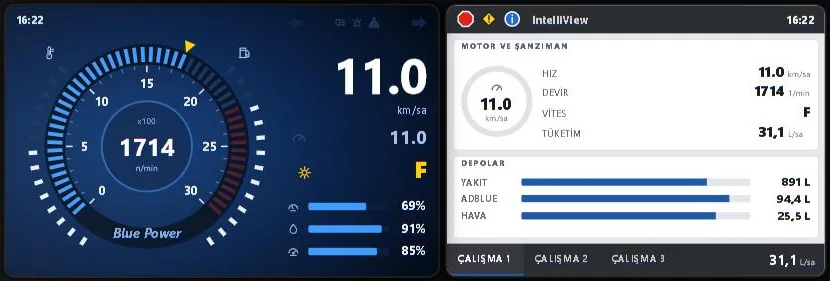
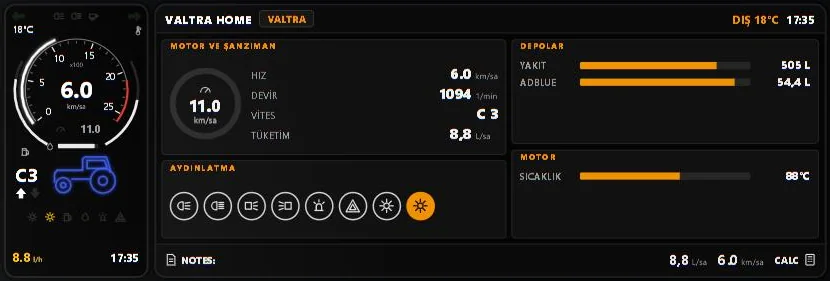
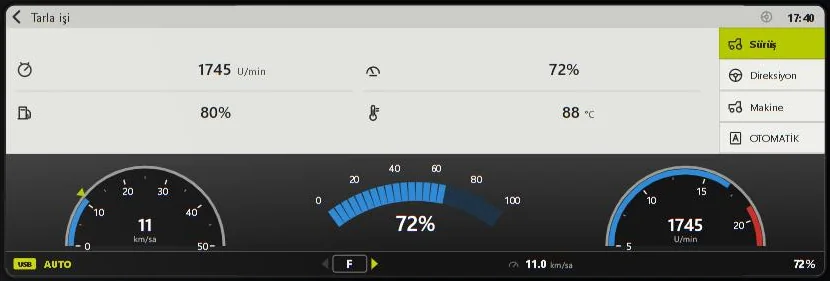
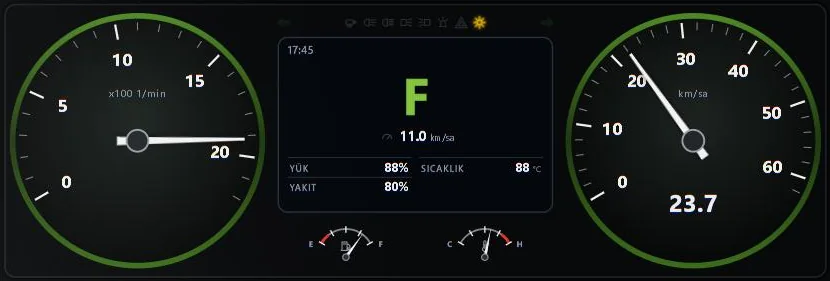
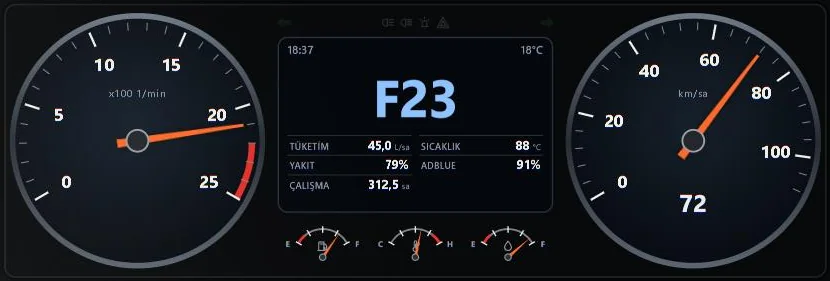
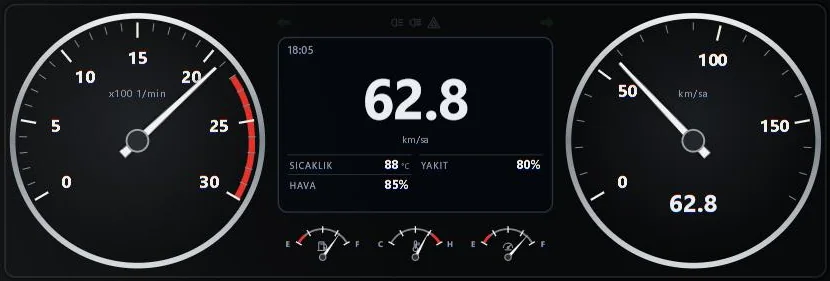
Vehicles without a defined screen are shown with the common DS Dash panel. The screenshots were taken in a test setup with the game's real vehicle definitions and may change as development goes on.
Everything at a glance, commands at a tap.
Drive
Speed, rpm, gear, cruise control, tanks and lamps. Landscape or portrait, full screen. Tap the terminal's tabs for the implement and instrument list pages; tap the screen to make it full size.
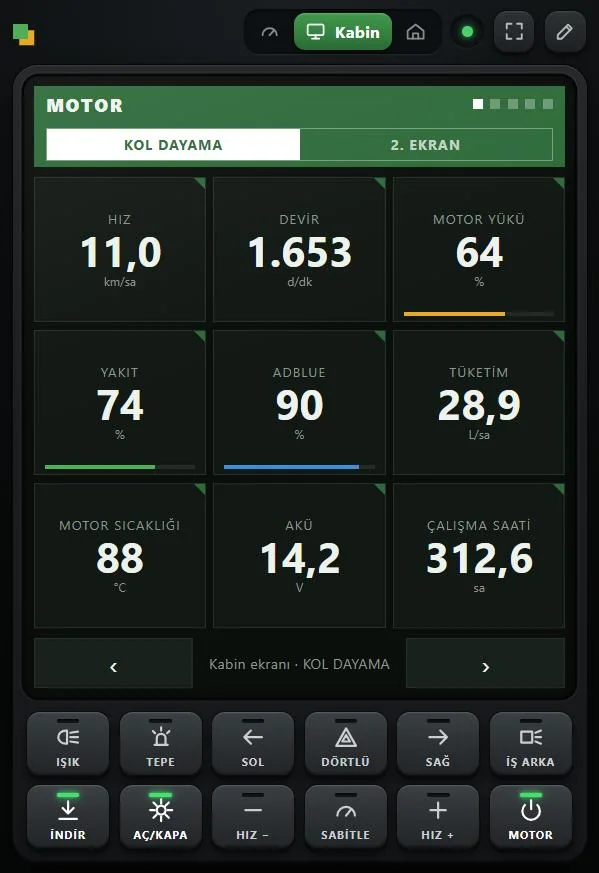
Cab display
Engine, fuel, DEF, consumption and operating hours tiles. With the Cab Displays mod installed it follows the armrest screen in the cab.
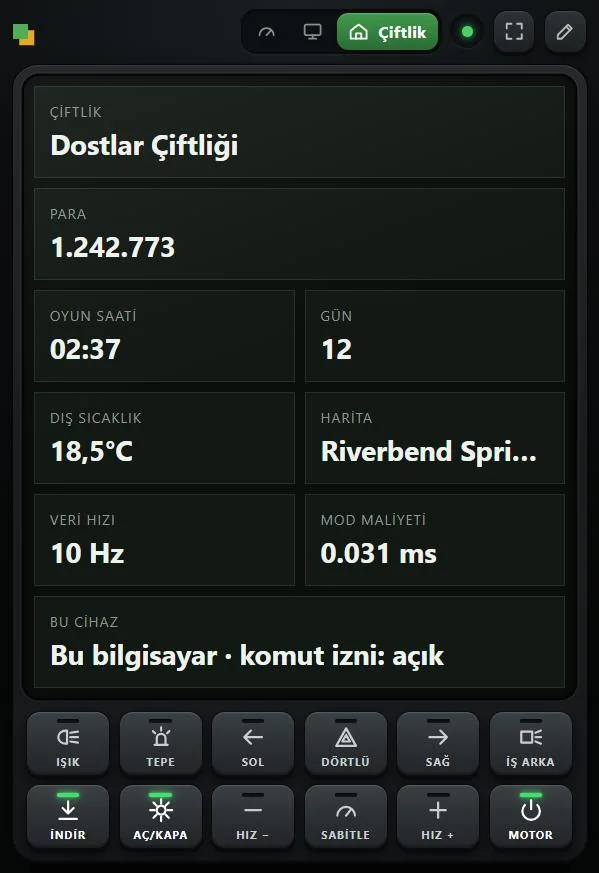
Farm
Money, game time, day, weather and map at a glance.
Commands
12 keys below the screen for lights, indicators, hazards, work lights, lowering / raising and turning on implements, cruise control and the engine.
Your layout
The drive page is edited on the phone; a separate layout can be saved for each vehicle type.
Light on the game
Data collection mostly stays under 1 ms per frame. The game load can be set to light, balanced or smooth.
Three steps and your phone is a dashboard.
Install the program
Download and run the installer. If Windows warns about an unknown publisher, choose More info › Run anyway. The program serves the dashboard to phones and tablets on your network and forwards their commands to the game.
Install the mod
With the game closed, press Modu kur (install mod) in the program; its window is in Turkish for now.
FS25_DSDashis copied to the game's mods folder. Load a savegame and the program says "Oyun bağlı" (game connected).Pair your phone
Scan the code shown by the program. The dashboard opens in the browser; add it to your home screen to use it like an app.
The phone and the PC must be on the same Wi-Fi network. If Windows Firewall asks, allow Private networks. No app needs to be installed on the phone.
The first test release is out.
DS Dash 0.5 is the first public test (beta) release. It works, but it is not finished: you may run into bugs and changes between releases. Report the bugs you find on Discord; new releases are announced on this page and on Discord.
Game mod Tested in game with Farming Simulator 25 (1.24).
Vehicle's own instruments Tested in game on 15 vehicles; the brand screen replicas and touch pages are new.
Phone dashboard Pairing and commands tested on an iPhone.
Multiplayer Tested as the host. The mod must be on the server too.
Code signing Not yet: Windows may show an "unknown publisher" warning on first start.
Updates Since 0.5.1 the program updates itself (can be turned off in Settings). If you installed 0.5.0, install this release once by hand.